
From a phone photo to a painted room, in one app.
Nothing to download, nothing to pay for, and no site visit to schedule before you know roughly what the job costs.
Start a projectHow does Coatly turn a phone photo into a painting estimate?
Coatly works in four moves: choose interior or exterior, upload photos of the space, pick a colour and watch the visualizer repaint your own photograph, then receive an estimate. Interior residential jobs in Calgary get that number instantly — materials included, GST excluded — and exterior or commercial jobs get a reviewed quote from our Calgary crew. The whole flow is free and takes under ten minutes.
- Step 01
Interior or exterior, residential or commercial
Two choices shape the rest of the flow. Exterior jobs add a surface step for siding, stucco, decks and doors. Commercial jobs skip the visualizer and go straight to a reviewed quote.
- Step 02
Upload your photos
Add as many photos as the job needs, straight from your phone. Shoot the whole wall, keep the lights on, and skip the fisheye lens if you can.
- Step 03
Add the project details
A title, the wall area in square feet, your location and any notes. Not sure on square footage? A rough number is fine — we confirm it.
- Step 04
Pick a colour from the library
Search by name or filter by family, from whites and off-whites through to the deep dramatic end. Heart the ones you want to come back to.
- Step 05
See it on your own photo
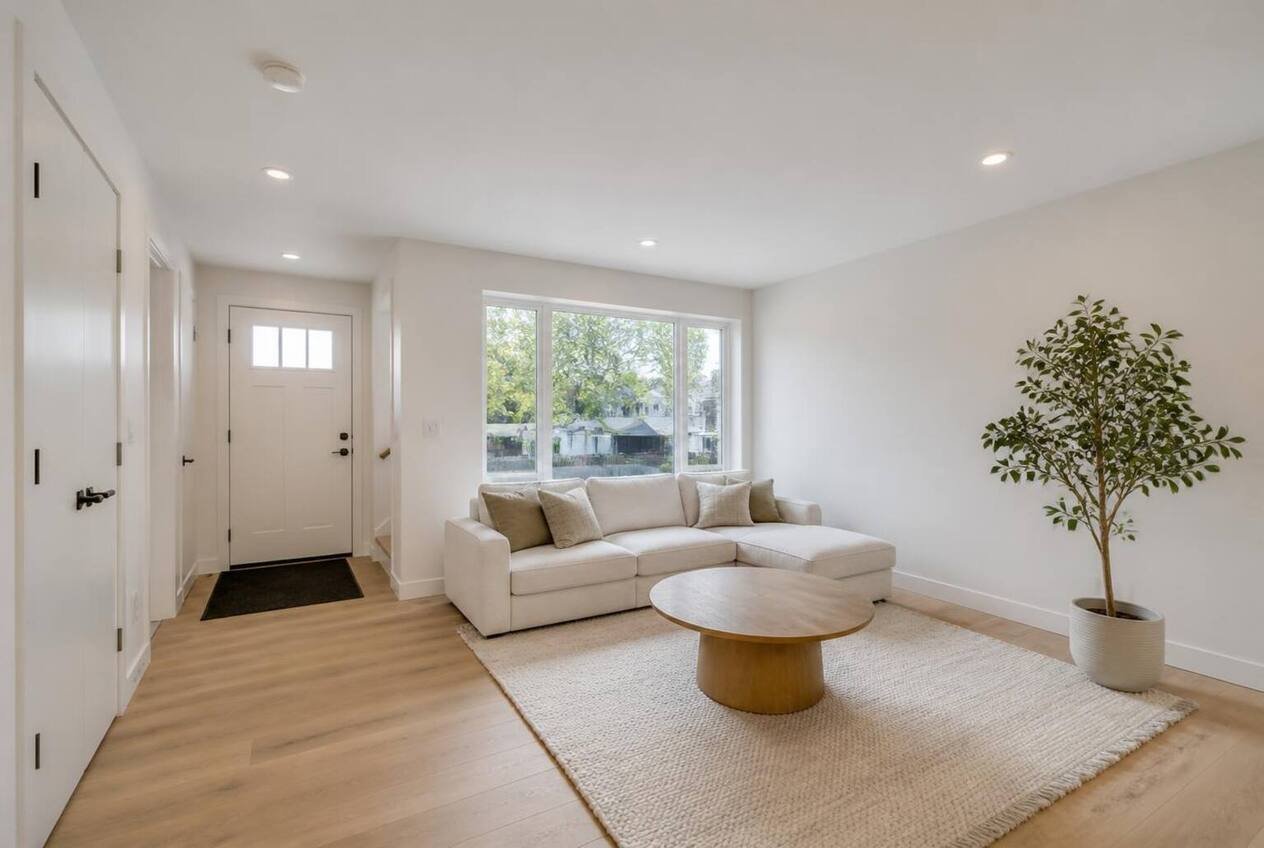
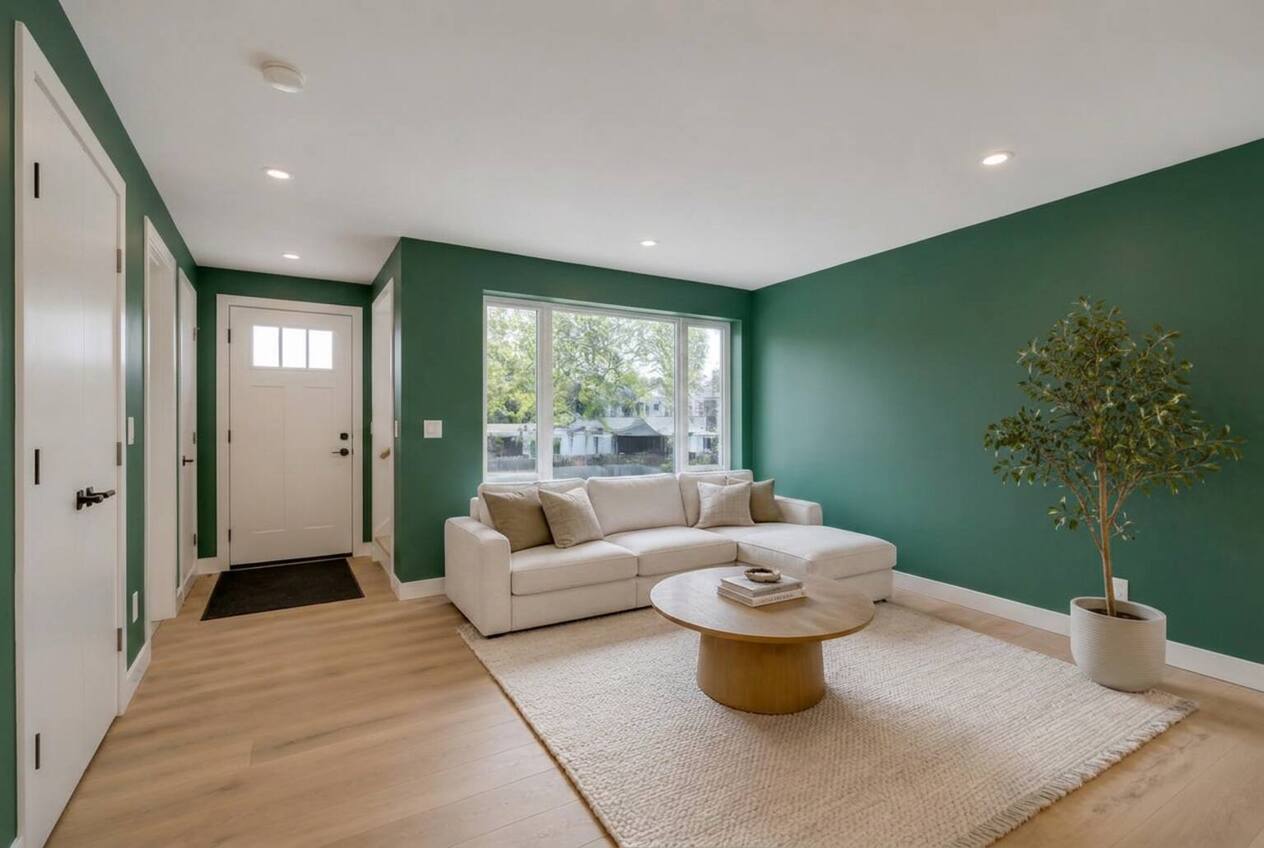
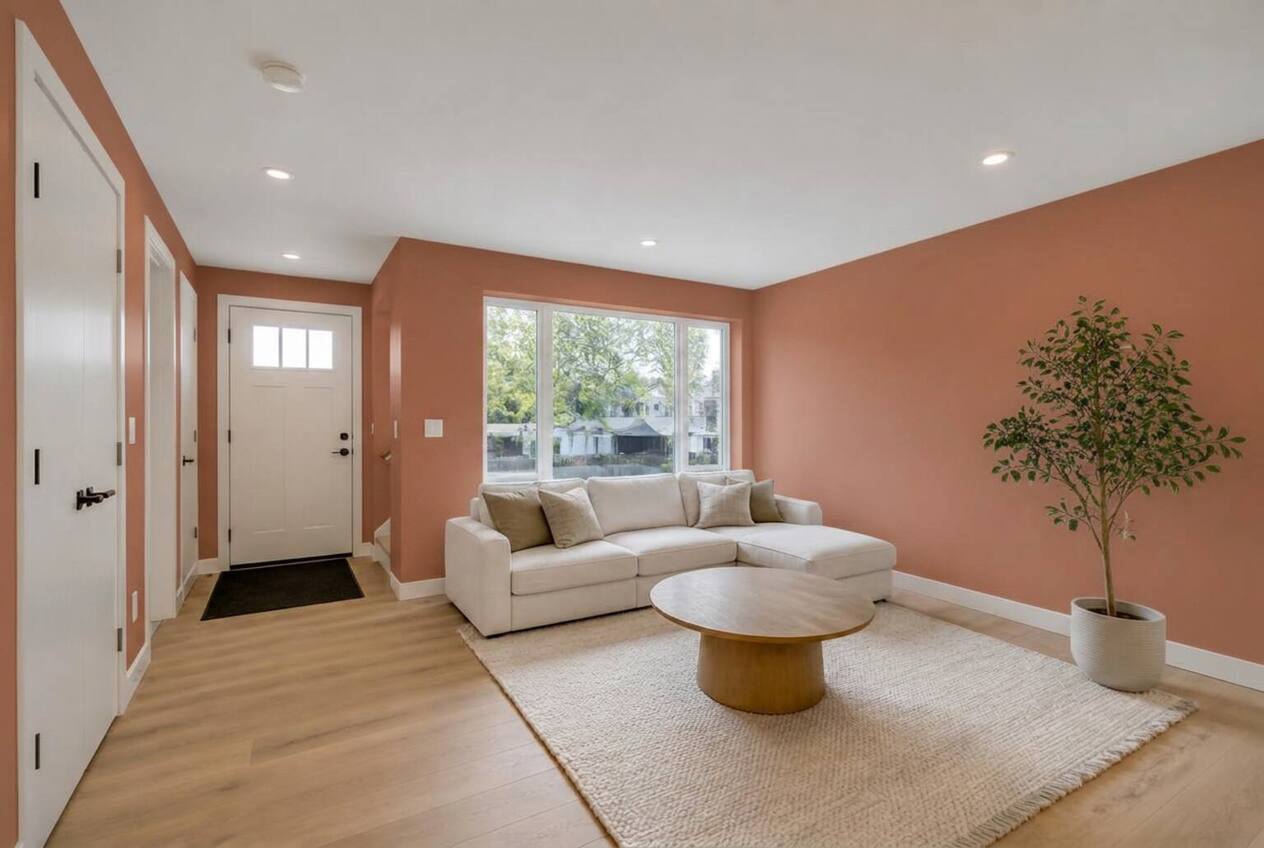
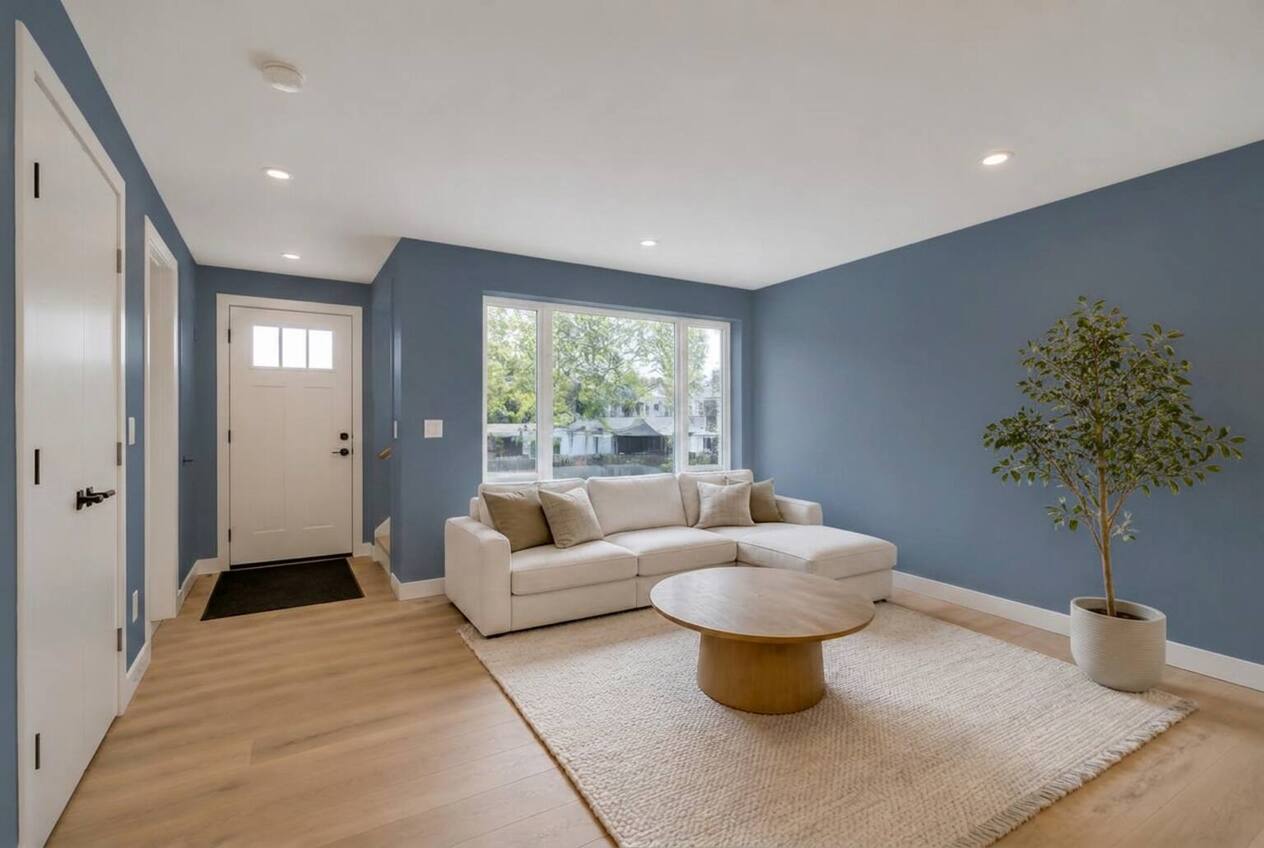
The visualizer repaints your walls or siding and gives you a before/after wipe to drag. It takes a moment — it is repainting a real photograph, not swapping a filter.
- Step 06
Add the extras, get an estimate
Ceilings, trim and casing, doors, baseboards. Interior residential projects then get an instant estimate — always labelled an estimate, never a contract.
- Step 07
Submit the project
Choose how you want to be contacted, review every choice, and send it. It lands in our inbox and shows up on your home screen with a status.
- Step 08
Track it and talk to us
Follow the status timeline, see your colour and renders, read the quote when it arrives, and message the crew in the same thread.
A preview, not a promise.
Drag the divider to compare. Screens, daylight and sheen all shift how a colour reads on a real wall, so we still recommend a sample pot before the final call — but this gets you to the shortlist in minutes instead of weekends.
Questions about the Coatly flow
How do I get a painting estimate in Calgary without a site visit?
Upload photos of the space in the Coatly app, enter the rough wall area and your location, pick a colour, and interior residential projects return an instant estimate on the spot. No site visit is needed before you see a number, and nothing is booked until you submit the project.
How long does the Coatly flow take?
Most people go from first photo to an estimate in under ten minutes. The visualizer takes a moment per render because it repaints your actual photograph rather than applying a filter.
Does Coatly cost anything to use?
No. Uploading photos, previewing colours and receiving an estimate are free in Calgary and across the Coatly service area. You only pay if you submit the project and we paint it.
Can I use the visualizer for exterior siding and stucco?
Yes. Exterior jobs add a surface step for siding, stucco, decks and doors, and the visualizer repaints the exterior of your own house photo. Exterior work is quoted after review instead of instantly, because siding condition, height and prep vary too much for an automatic number.
What happens after I submit a project?
It lands in the Coatly inbox in Calgary and appears on your home screen with a status timeline. You can read the quote when it arrives, see your colour and renders, and message the crew in the same thread.
Ready to see it?
Free to use. Or read up on what painting costs in Alberta first.
Upload a photo